

Guide
Oct 29, 2026
Key takeaways
Online issuing falls into four methods: one file at a time, a design tool, spreadsheet plus email automation, or an issuing service
For 100 people, paper costs about ₩250,000–290,000 and half a day of handwork; digital issuing takes about 30 minutes after you upload the list
Certificates, completion letters, awards, participation letters and activity certificates all follow the same steps, and recipients download the PDF themselves
There are four ways to create and send them online
There are four main ways to handle certificates and awards online. They differ in whether only the making changes, or the sending and checking change too.
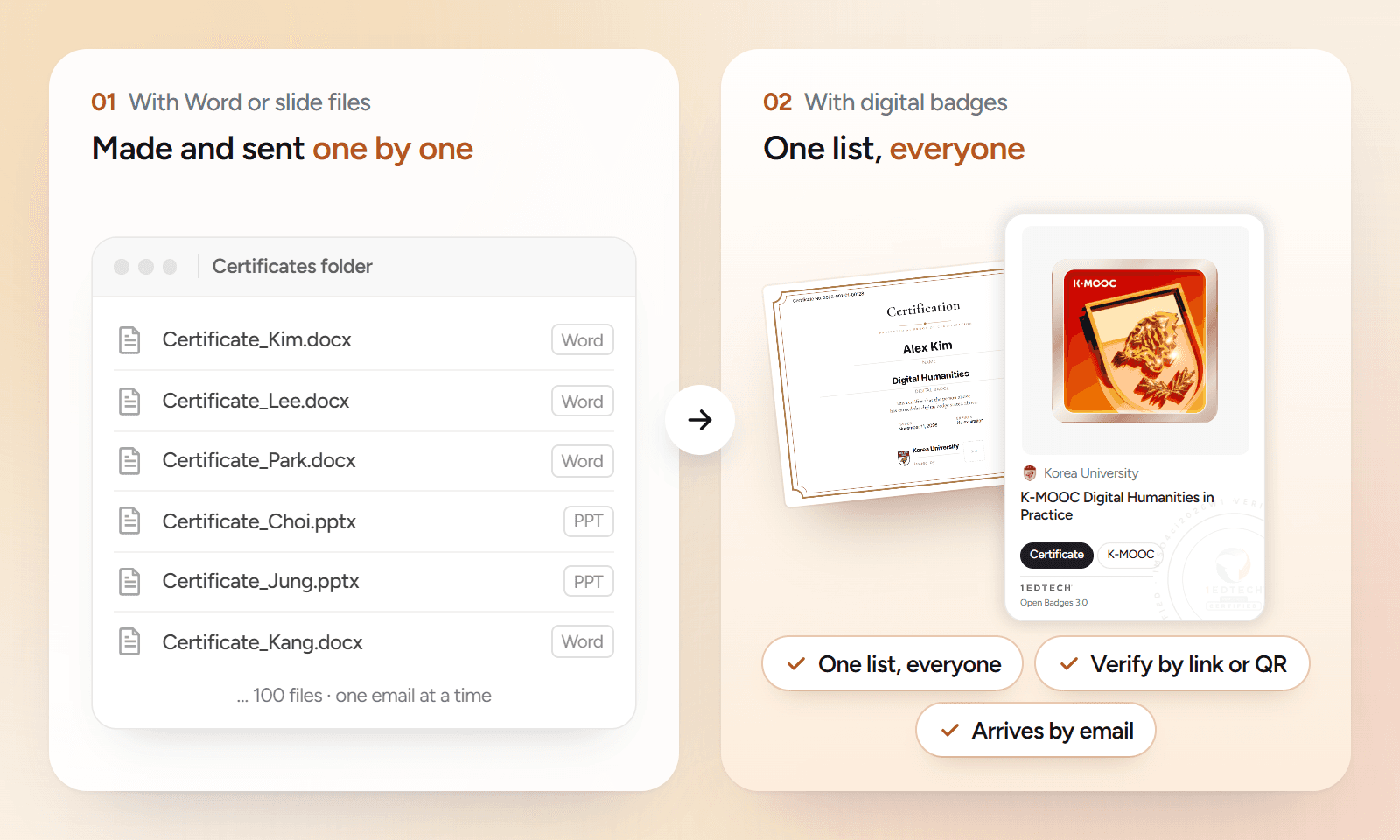
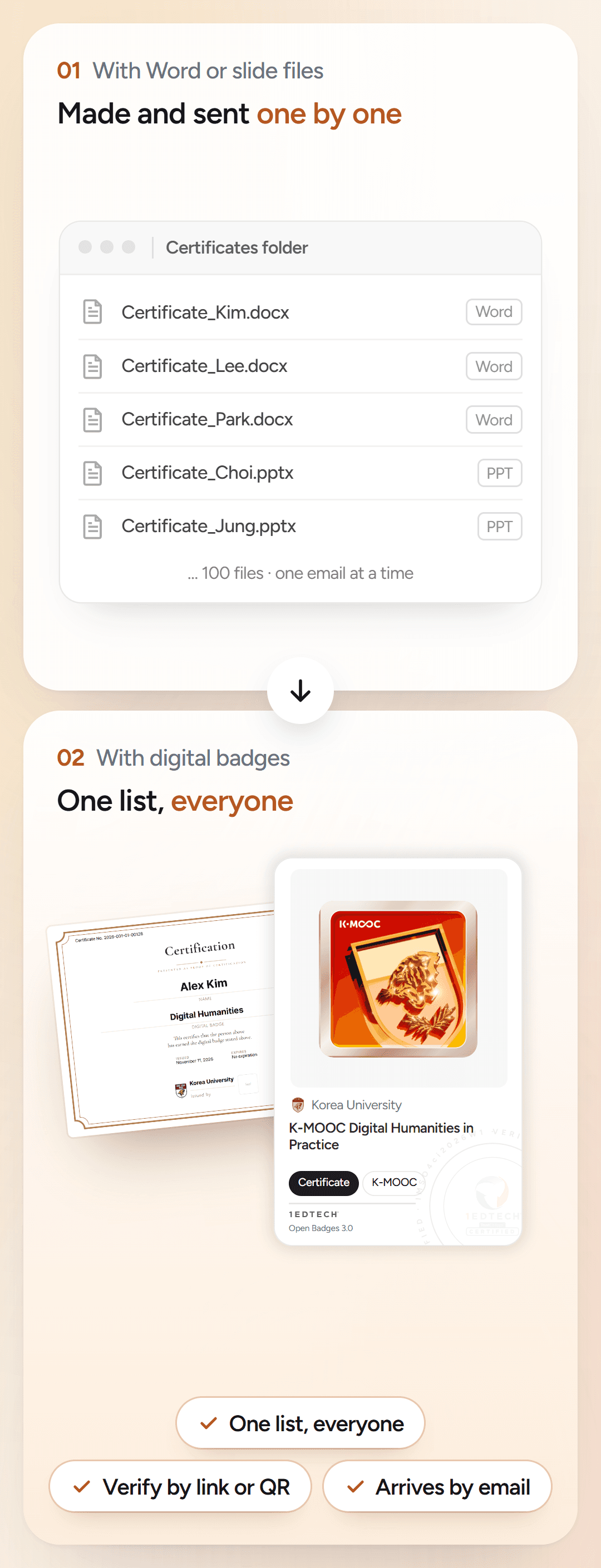
| Method | Create | Send | Verify and reissue |
|---|---|---|---|
| Word or slides, one by one | Change the name and save each file | Attach to one email at a time | Staff find the original and resend it |
| Design tool template | Add names to a nice template and export them all | Send the files separately | Only a file remains, with no way to verify it |
| Spreadsheet + email automation | Generate all PDFs from the list | Sent automatically by email | Staff make and resend reissues |
| Issuing service | Upload the list and issue to everyone | Arrives by email | Verified by link or QR, and recipients download it themselves |
For an award given once to a dozen people, the first two methods are enough. For recurring courses or events with dozens of people or more, an issuing service saves more time because it also cuts the work of sending and finding files again.
What do time and cost look like for 100 people?
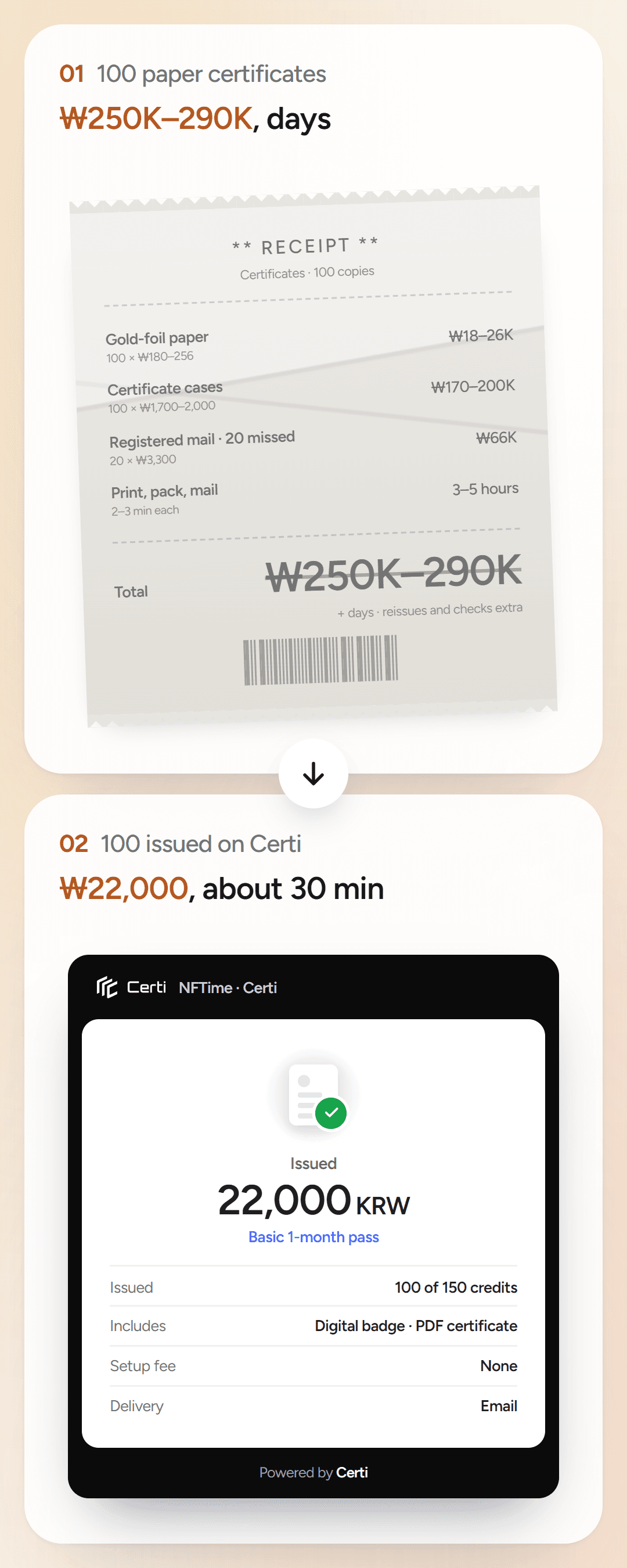
Paper certificates go through seven manual steps, from choosing a template to handling reissue requests. Digital issuing takes three: create the badge, upload the list and issue, and recipients download the PDF themselves.

| Item | Paper certificates | Digital issuing (Certi) |
|---|---|---|
| Steps | 7 steps · from template to reissues | 3 steps · from badge to PDF |
| Time to send | Several days | About 30 minutes once the badge is set |
| Handwork | 2–3 minutes each to print, pack and mail, about 3–5 hours | Upload one spreadsheet |
| Cost | About ₩250,000–290,000 | ₩22,000 (Basic 1-month pass) |
| Reissue and check requests | Staff find and resend them | Recipients handle it from the link |
The paper cost adds gold-foil paper (₩180–256 per sheet), certificate cases (₩1,700–2,000) and registered mail for the 20 people who missed it (₩3,300). We estimated it from online store prices and Korea Post rates (October 2026).
Certi uses one credit each time you issue one badge to one person. A Basic 1-month pass includes 150 credits, more than enough for 100 people, and the PDF certificate goes out with each badge. See pricing for details.
Can awards and participation letters go out the same way?
Yes. Any document with a name, the reason it was given, an issue date and an issuer goes out in the same steps. Use the same name your organization already uses for it.
| Document | Given when | Examples |
|---|---|---|
| Certificate of completion | Someone finishes a course | Lectures, bootcamps, job training |
| Completion letter | Required hours or credits are met | Mandatory training, co-curricular programs |
| Award | Someone wins a contest or competition | Competitions, idea contests |
| Participation letter | Someone attends an event | Camps, fairs, seminars |
| Activity certificate | Someone is active for a set period | Ambassadors, volunteer groups, clubs |
| Qualification course certificate | Someone finishes a prep course for a qualification | Association and continuing education courses |
Check licenses separately. National licenses are issued by designated bodies, and registered private qualifications must be issued as registered. Certificates or completion letters for people who finish a qualification course can be issued like any other document.
How do you issue them on Certi?
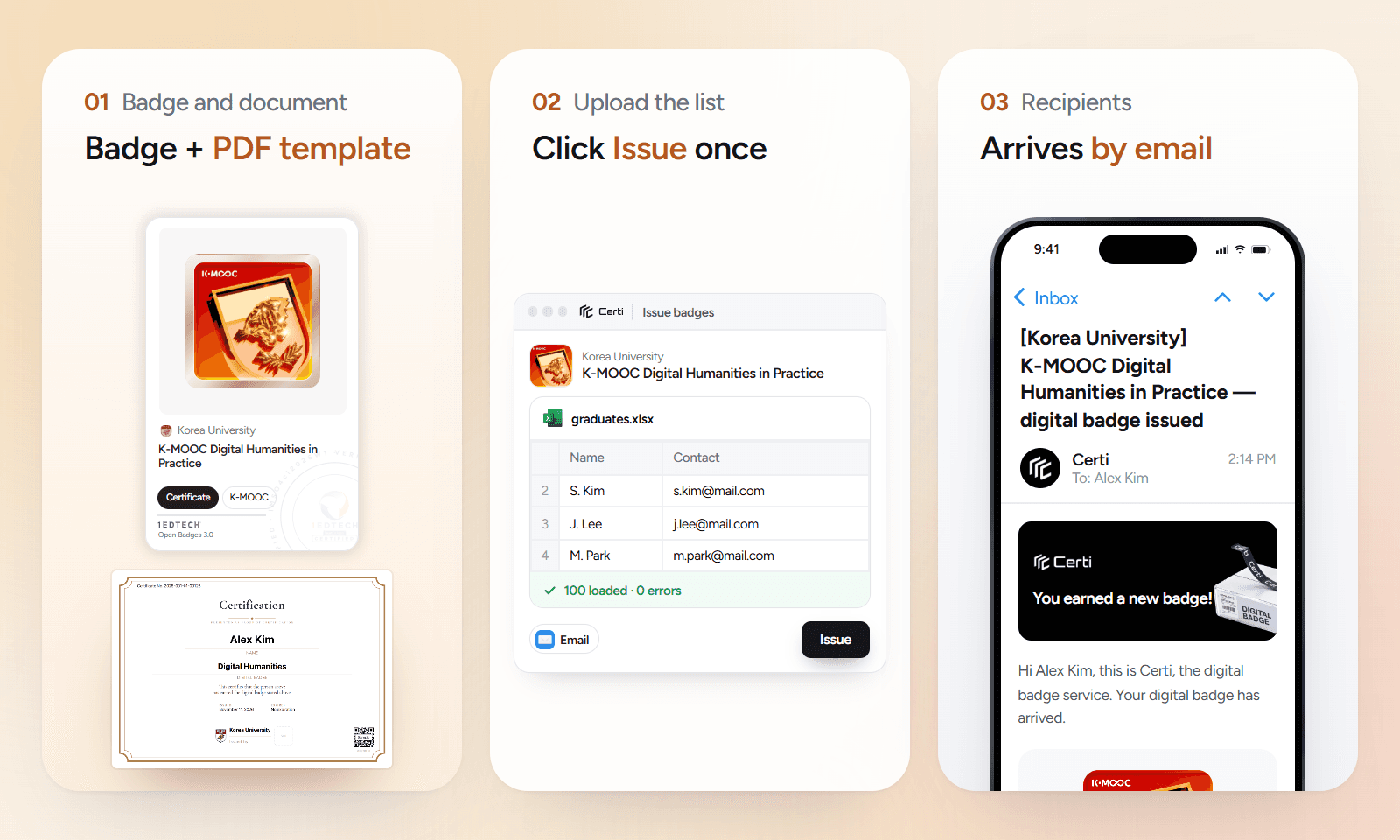
Create the badge and document
Enter the document name and criteria, then choose a design. Set a PDF template, such as an award or certificate, from the same information.
Upload the list and issue
Fill in names and contacts in the spreadsheet template, upload it and send by email. Hundreds go out at once.
Recipients open and download
They open it from a link without an app and download the PDF from that page when they need it. Reissue requests are handled from the link too.
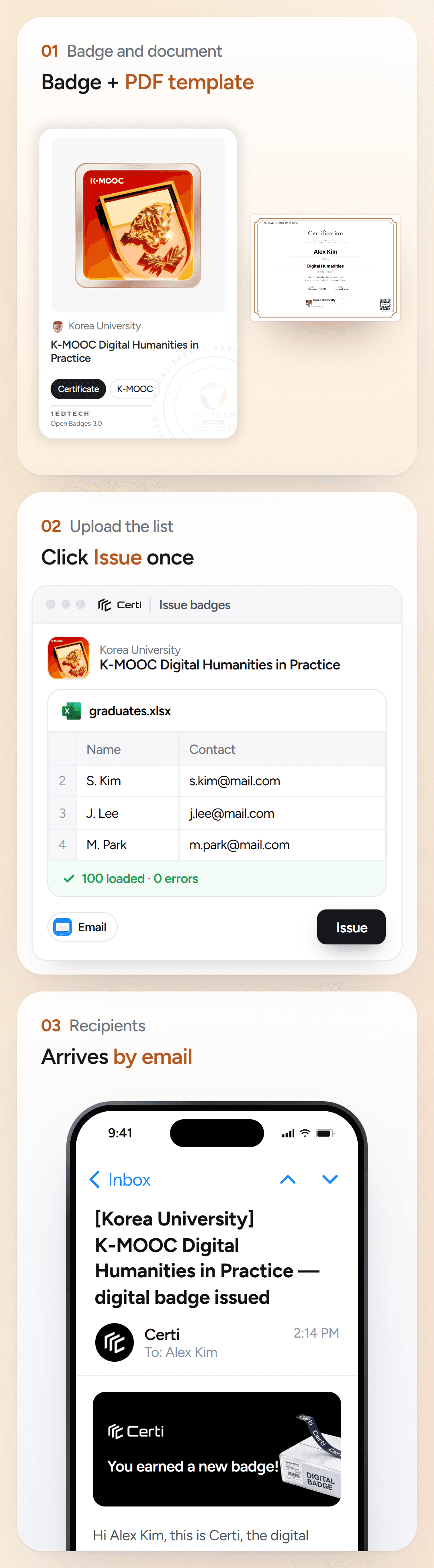
See how to create a digital badge for what to prepare the first time, and PDF certificates and digital badges together for issuing PDF certificates with badges.
Frequently asked questions
Q
Can I try it for free first?
Yes. The free trial lasts one month and includes 30 credits. Start without a card, issue to part of a real list, and then decide.
Q
Do I need to design my own certificate or award template?
No. Choose an award, certificate or letter from Certi's landscape and portrait PDF templates and add your seal or signature. If you want a badge design unique to your organization, you can order one for ₩30,000 per design.
Q
Do I pay every month if I only run one event?
No. You buy a pass for the period you need (1–12 months) in one payment, so nothing is charged automatically. A 1-month pass covers one event, and recipients can still see what you sent after the pass ends.
Q
What if someone needs a printed copy?
Recipients download the PDF from the badge page and print or submit it. It is made from the same information, so it matches the badge.
Q
How can someone check a certificate is real?
Opening the badge link or scanning the QR code shows the issuer, recipient and issue date right away. No one needs to call your staff to confirm it.
Issue your certificates and awards with Certi
Contact sales
Keep reading
All posts


